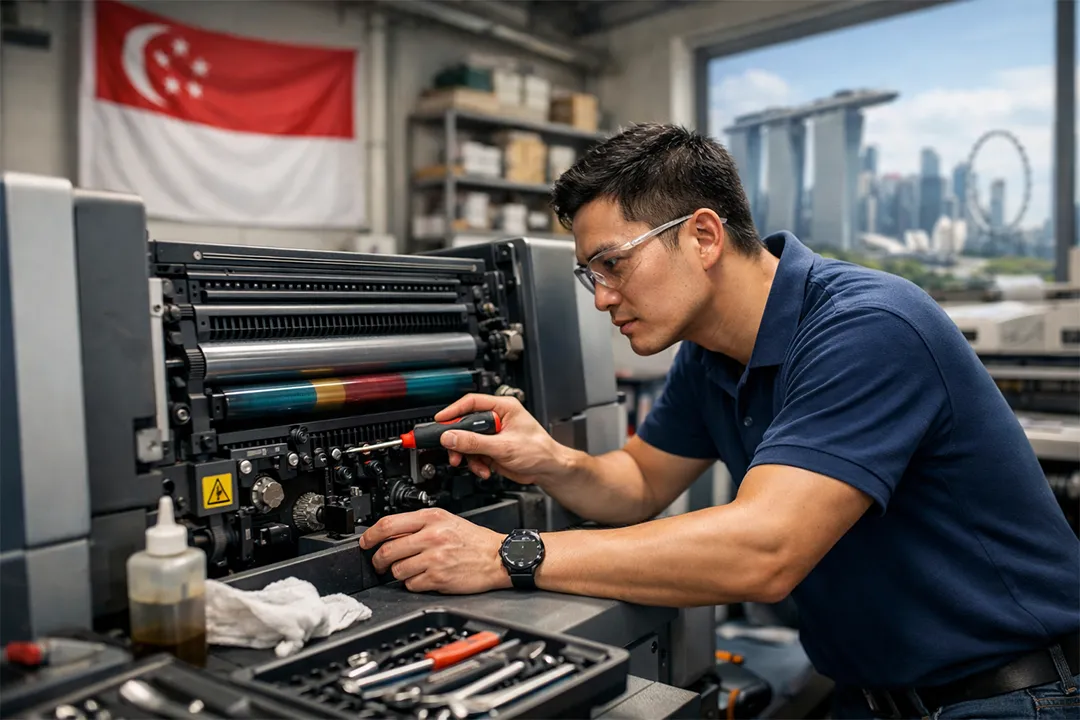
Printing machines play a critical role in offices, commercial printing businesses, and industrial production environments. Whether used for document printing, label production, or packaging applications, printers require regular care to maintain optimal performance. Understanding how to maintenance printing machine is essential for ensuring reliability, print quality, and long-term durability.
Without proper maintenance, printers may develop issues such as poor print quality, paper jams, clogged print heads, or mechanical failures. Regular maintenance helps prevent these problems and ensures that printing equipment operates efficiently.
This guide explains how to do maintenance in a printer, including maintenance tips for popular brands such as HP, Canon, and Epson, as well as best practices for maintaining label printing machines.
Importance of Printing Machine Maintenance
Before learning how to maintain a printing machine, it is important to understand why routine maintenance is essential. Regular upkeep prevents common issues, ensures consistent print quality, reduces downtime, and extends the equipment’s lifespan, ultimately supporting efficient and reliable printing operations for businesses.
Printers contain delicate mechanical and electronic components that need proper care. Over time, dust, ink residue, and mechanical wear can degrade performance, leading to print quality issues, malfunctions, or downtime if routine maintenance is not performed.
Regular maintenance provides several benefits:
- Improved print quality.
- Reduced equipment downtime.
- Longer machine lifespan.
- Lower repair costs.
- Consistent printing performance.
Businesses that rely heavily on printing equipment should establish a regular maintenance schedule to keep their machines running smoothly.
How to Do Maintenance in a Printer
Many users ask how to do maintenance in a printer, especially when they begin experiencing print quality issues or mechanical problems. Basic printer maintenance involves several simple steps that can significantly improve printer performance.
Clean the Printer Regularly
Dust and debris can accumulate inside a printer, affecting mechanical components and print quality. Cleaning the printer exterior and interior helps maintain smooth operation. Users should carefully remove dust from paper trays, rollers, and accessible components using a soft cloth or compressed air.
Check and Replace Ink or Toner
Low or dried ink cartridges can lead to poor printing results. Regularly checking ink or toner levels ensures that the printer produces clear and consistent prints. When cartridges are empty or clogged, replacing them promptly helps maintain print quality.
Perform Print Head Cleaning
Many modern printers include automatic print head cleaning functions. Running these cleaning cycles can remove dried ink that may block print head nozzles. This step is particularly important for inkjet printers.
Inspect Paper Feed Rollers
Paper feed rollers are responsible for pulling paper through the printer. Over time, these rollers can become worn or dirty, causing paper jams. Cleaning or replacing rollers helps ensure smooth paper feeding.
How to Maintenance Printing Machine HP Printer
HP printers are widely used in offices and businesses. Understanding how to maintenance printing machine HP printer can help users maintain consistent printing performance.
Use Built-In Maintenance Tools
HP printers often feature built-in maintenance tools, like print head cleaning and alignment utilities, which help ensure consistent, high-quality printing and prolong the printer’s performance and lifespan.
Update Printer Firmware
Keeping printer firmware updated ensures compatibility with the latest software, enhances overall system performance, fixes bugs, and maintains smooth, efficient operation for both home and office printing tasks.
Clean Print Heads and Cartridges
Ink buildup around print heads can reduce print quality. Regular cleaning prevents clogs, ensuring sharp text and clear images, and helps maintain the printer’s optimal performance over time.
Regular maintenance of HP printers ensures consistent and reliable performance at home or in the office, preventing breakdowns, extending device lifespan, and maintaining high-quality printing for everyday tasks and professional use.
How to Maintenance Printing Machine Canon
Canon printers are known for producing high-quality prints, especially for photo and graphic printing applications. Learning how to maintenance printing machine Canon helps preserve their performance.
Perform Automatic Cleaning Cycles
Low ink levels can disrupt print consistency. Regularly monitoring and refilling ink helps maintain smooth, uninterrupted printing and ensures high-quality output for all documents and images.
Keep Paper Paths Clean
Dust and debris in paper paths can cause printing problems. Regular cleaning of these areas helps prevent paper jams and misfeeds, ensuring smooth, reliable printer operation and consistent print quality.
Following these maintenance and setup steps ensures Canon printers deliver consistent, high-quality, and reliable printing results while extending the lifespan of the equipment.
How to Maintenance Printing Machine Epson
Epson printers are commonly used in office and commercial settings. Proper maintenance and care help ensure long-term performance, reliable printing, and consistent high-quality output for all tasks.
Run Nozzle Checks
When learning how to maintenance printing machine Epson, one important step is performing nozzle checks. These checks detect clogged print head nozzles and help determine when cleaning is necessary.
Use Genuine Ink Supplies
Using high-quality, manufacturer-recommended ink cartridges helps prevent clogs, ensures consistent print quality, and prolongs the printer’s lifespan for reliable performance in both home and office settings.
Clean External Components
Regularly cleaning external surfaces and paper trays prevents dust buildup, keeps the printer hygienic, and helps maintain smooth operation and consistent print quality.
Routine maintenance helps Epson printers deliver consistent performance and reliable output, preventing malfunctions, extending their lifespan, and ensuring high-quality printing for both personal and professional use.
Maintenance Label Printing Machine
In commercial environments, businesses often use specialised equipment for label production. Proper maintenance Label Printing Machine procedures are essential for ensuring efficient operation.
Label printers are commonly used in industries such as logistics, retail, packaging, and manufacturing.
Clean Print Heads
Label printers use precise print heads to produce sharp, clear barcodes and labels. Regular cleaning is essential to prevent residue buildup, ensuring consistent print quality, accurate scanning, and long-lasting printer performance.
Inspect Sensors and Rollers
Sensors and rollers are crucial for proper label alignment and smooth feeding in printers. Routine inspection helps detect wear or misalignment early, preventing printing errors, downtime, and ensuring consistent, high-quality label output.
Check Label Alignment
Incorrect label alignment can lead to printing errors. Properly adjusting the label feed mechanism ensures precise placement, consistent prints, and reduces waste, maintaining high-quality label output.
Maintain Software and Drivers
Regularly updating printer software and drivers is essential for maintaining smooth and efficient printing operations. It ensures compatibility with labeling systems, improves overall performance, and reduces the risk of errors or malfunctions. By keeping software up to date, businesses can achieve consistent, high-quality output while extending the lifespan and reliability of their printing equipment.
Consistent maintenance allows label printing machines to operate efficiently in high-volume production environments.
Creating a Printer Maintenance Schedule
Implementing a regular maintenance schedule is crucial for businesses to ensure consistent printer performance. Routine checks and servicing prevent breakdowns, minimize downtime, and maintain high-quality, reliable output. This proactive approach also extends the printer’s lifespan and optimizes operational efficiency for daily business needs.
A typical maintenance routine may include:
- Weekly cleaning of external components.
- Monthly inspection of rollers and paper trays.
- Regular print head cleaning cycles.
- Periodic firmware updates.
- Timely replacement of ink cartridges or toner.
Following a structured maintenance schedule reduces the likelihood of unexpected printer failures.
Common Printer Problems Prevented by Maintenance
Understanding how to maintain a printing machine helps prevent common issues, ensures consistent performance, prolongs equipment lifespan, and reduces downtime for smoother, more efficient printing operations.
Routine maintenance helps reduce problems such as:
- Paper jams.
- Faded or streaked prints.
- Ink clogging.
- Misaligned printing.
- Printer overheating.
Preventive maintenance is more cost-effective than repairing damaged printing equipment, as it reduces downtime, extends printer lifespan, and ensures consistent, high-quality output while avoiding expensive emergency repairs.
Conclusion
Learning how to maintenance printing machine is essential for maintaining reliable printing performance and extending the lifespan of printing equipment. Regular cleaning, timely replacement of consumables, and proper inspection of mechanical components help prevent common printing issues.
Whether maintaining an office printer or an industrial maintenance Label Printing Machine, consistent care ensures smooth operation and high-quality print output. By following proper maintenance practices, businesses and individuals can reduce repair costs, improve efficiency, and maximize the performance of their printing machines.
Frequently Asked Questions
How to do maintenance in a printer?
Printer maintenance includes cleaning print heads, checking ink or toner levels, cleaning paper rollers, and running built-in maintenance tools.
How to maintain an HP printer?
HP printer maintenance involves using automatic cleaning tools, updating firmware, replacing cartridges, and keeping internal components clean.
How to maintain a Canon printing machine?
Canon printers require regular print head cleaning, ink level monitoring, and cleaning of paper feed paths.
How to maintain Epson’s printing machine?
Epson printer maintenance includes nozzle checks, print head cleaning, and regular external cleaning.
What is a maintenance label printing machine?
Maintenance of label printing machines includes cleaning print heads, checking rollers, aligning labels, and updating software.